Field service, with a little more clarity

Your field team.
One clear view.

Less chasing updates. More getting things done. Bring jobs, crew assignments, and the day ahead into one considered workspace.

No signup. Fictional data. Safe to explore.

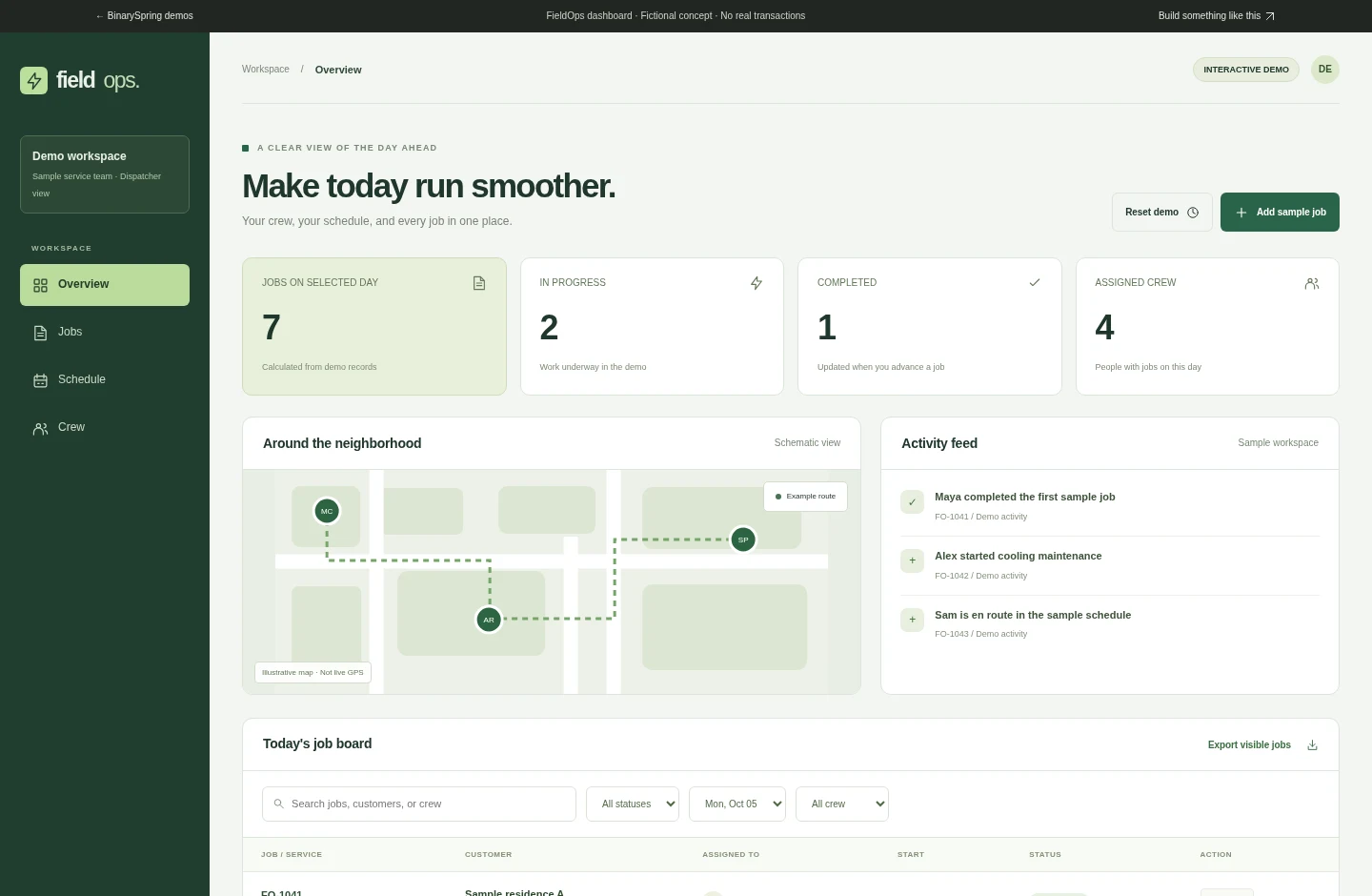
FieldOps demo dashboard showing a job board, crew overview, and sample activityGo ahead. Take a look around.
Plan the day Assign the crew Track the next step Keep the record

The work behind the work

More clarity.
Fewer loose ends.

A custom operations interface can connect the steps that usually live across phone calls, spreadsheets, and scattered notes.

DISPATCH & SCHEDULING

The day ahead,
without the guesswork.

See what's planned and who is assigned. Add sample jobs, check the schedule, and keep the next action visible.

CREW9 AM11 AM1 PM3 PM
Maya
Plumbing · Sample job
Alex
Cooling maintenance
Sam
Inspection
Illustrative planning view

A status that means something.

Move sample work from scheduled to en route, in progress, and completed. Summary cards and activity update as you go.

Find the job. Not the spreadsheet.

Search by customer, job, or technician. Filter the board, open the details, and export the visible sample records.

One connected workflow

Start with the job.
Keep everyone in the loop.

Try each step in the interactive dashboard. The demonstration changes state without contacting any external service.

01 / CAPTURE

Give the job a home.

Add a sample customer, service, time, and assigned technician. The job appears on the board and schedule.

02 / COORDINATE

Make the day visible.

Review the sample schedule and filter by crew. Use the same record instead of searching across separate lists.

03 / FOLLOW THROUGH

Close the loop.

Advance a status, inspect the updated metrics, and preview a client message. Nothing is actually sent.

Real interaction. Clear boundaries.

What's in the demo.
What belongs in the build.

A transparent distinction between a working interface and a production operations system.

CapabilityThis browser demoProduction requirement
Job managementSearch, filter, add, advance statusDatabase, validation, and audit history
Crew and schedulingFictional team and sample datesReal calendars and availability logic
Client updatesMessage preview onlyConsent, messaging provider, delivery logs
Location viewIllustrative route diagramMapping integration and location permissions
Security and accessNo real authenticationAuthentication, authorization, and review

Before you jump in

A few useful
answers.

Is this a live field-service product?
No. FieldOps is a fictional portfolio concept built to demonstrate a possible field-service workflow. The dashboard runs locally in your browser using sample jobs.
What can I do in the dashboard?
Search and filter sample jobs, advance job statuses, add a fictional job, view the three-day schedule, explore crew assignments, preview a message, and export the visible jobs to CSV. Changes reset when the page reloads.
Are GPS, SMS, and authentication connected?
No. The map is illustrative, message previews are not delivered, and the interface is not secured by a production authentication system. These are separate integrations and safeguards that must be scoped for a real application.
Can BinarySpring build around our workflow?
Custom web application development is part of BinarySpring's service offering. Start with the users, workflow, permissions, and systems that need to connect; define a fixed scope before development.
Good tools should feel this clear

Give your operations
a little breathing room.

Explore the dashboard